

Ditching the travel brochure
Planning a trip used to mean drowning in forty open browser tabs and hoping the reviews weren't fake. It was a chore. Now, we can use ChatGPT to cut through the noise and build a custom itinerary in about three minutes.
AI’s role in travel isn't brand new. We've seen recommendation engines for years, but the leap to generative AI – systems that can create content, not just curate it – is a game-changer. By 2026, this technology will be even more integrated into how we explore the world. It’s not about robots replacing the joy of discovery, but about augmenting our ability to plan smarter and experience more.
There’s a natural skepticism, of course. Entrusting something as personal as travel to an algorithm feels strange to some. Will an AI truly understand my preferences? Can it capture the feeling of a place? These are valid questions, and it’s important to approach AI travel planning with a critical eye. But the potential benefits – saved time, personalized recommendations, and stress-free logistics – are too significant to ignore.
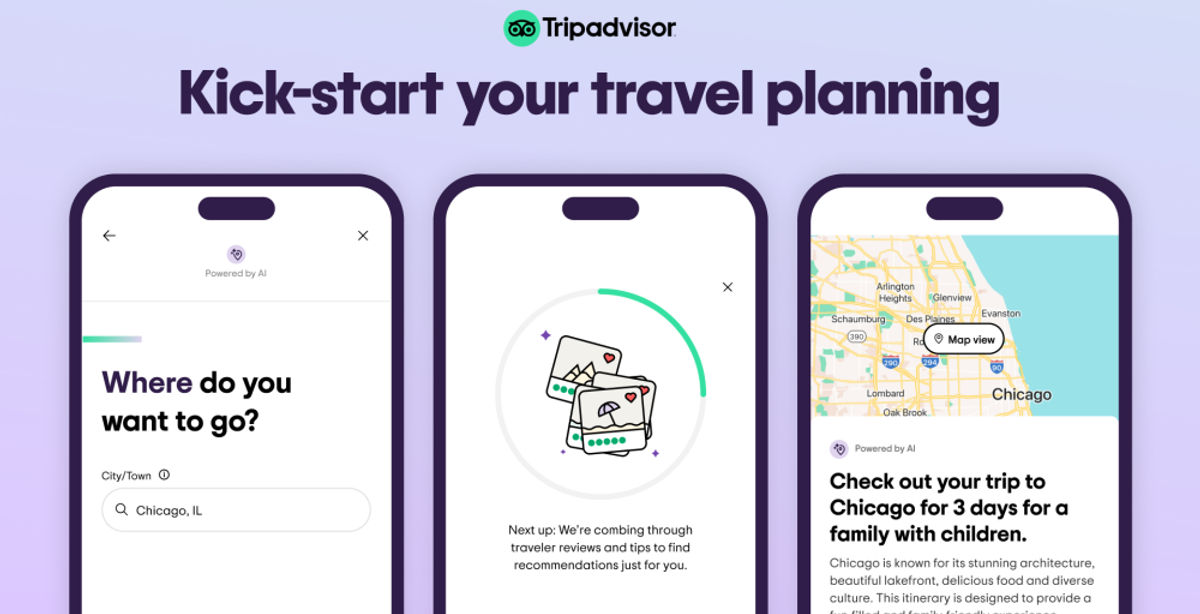
Using ChatGPT for the first draft
ChatGPT excels at brainstorming. Think of it as a super-powered idea generator. Instead of staring at a blank map, you can ask it to create a starting point. A simple prompt like, “I have one day in Rome, and I’m interested in ancient history and good food. Suggest an itinerary,” can yield a surprisingly detailed response.
The key is specificity. Don’t just say “Paris.” Tell ChatGPT about your interests. “I’m visiting Seattle with a teenager who loves music and quirky shops – ideas?” will produce far more relevant results than a vague request. You can also specify your budget – “Suggest a budget-friendly day trip from London” – or travel style – “I prefer slow travel and authentic experiences.”
However, remember that ChatGPT isn't a finished product. It’s a starting point. Its initial suggestions will likely need refinement. If it suggests a museum that's closed on Mondays, or a restaurant that's outside your price range, that’s okay. Use follow-up prompts to narrow down the options and tailor the itinerary to your exact needs. You can ask it to provide more details on a specific attraction, or suggest alternative options based on your feedback.
Don’t be afraid to iterate. Treat ChatGPT like a conversation partner. The more you refine your prompts based on its responses, the better the resulting itinerary will be. It’s a collaborative process, not a one-and-done transaction.
Refining AI Suggestions: Fact-Checking & Nuance
This is the most important step: always verify the information ChatGPT provides. While the AI is getting smarter, it’s still prone to errors. It might suggest a restaurant that has permanently closed, or provide incorrect opening hours for a museum. Relying on outdated or inaccurate information can ruin a perfectly good day trip.
Cross-reference ChatGPT’s suggestions with official websites, recent travel blogs, and user reviews. Check the museum’s website to confirm opening times, and read recent reviews on TripAdvisor or Yelp to get a sense of the current experience. Don't assume anything is correct just because ChatGPT said so.
Ambiguity is another potential issue. ChatGPT might suggest “a charming local cafe,” but fail to provide the name or address. Ask follow-up questions to clarify these details. “Can you provide the address and website for that cafe?” or “What’s the price range for a meal there?” It’s crucial to be persistent and seek clarification when needed.
AI gets things wrong. It will confidently give you the address of a bistro that went bust in 2023. Treat its output as a rough draft that needs a quick Google search to confirm the details are still true.
- Check the museum's own site for holiday closures and current ticket prices.
- Confirm prices.
- Check transportation options.
- Read recent reviews.
Prompts for specific needs
Once you're comfortable with basic prompting, you can unlock ChatGPT’s full potential with more advanced techniques. Try using role-playing prompts. For example, “Act as a local expert in Kyoto, Japan. I have one day to explore. What are your recommendations for a first-time visitor?” This encourages ChatGPT to adopt a specific perspective and provide more insightful suggestions.
Tailoring itineraries to specific needs is another powerful application. “I have mobility issues and use a wheelchair. Suggest a wheelchair-accessible day trip from Paris, including transportation options and accessible attractions.” This demonstrates the AI’s ability to cater to individual requirements. You can also specify desired activity levels: “I’m looking for a relaxing day trip with minimal walking,” or budget constraints: “I want a day trip under $100.”
Don’t be afraid to ask for hidden gems or off-the-beaten-path experiences. “I’m tired of tourist traps. Suggest a unique and authentic experience in Barcelona that most tourists miss.” ChatGPT can tap into a vast database of information to uncover lesser-known attractions and local favorites.
You can even request itineraries based on specific themes. “I’m a photography enthusiast. Suggest a day trip from San Francisco with stunning landscapes and opportunities for capturing beautiful photos.” This level of personalization is what sets AI-powered travel planning apart.
AI & Logistics: Transportation & Timing
ChatGPT can be a surprisingly helpful tool for tackling the practical aspects of day trip planning. You can ask it to suggest the best mode of transportation – train, bus, car rental – based on your destination and budget. “What’s the most efficient way to get from Florence to Siena?” or “Is it better to take the train or rent a car for a day trip to the Cotswolds?”
It can also estimate travel times and suggest optimal departure and return times. “How long does it take to travel from Amsterdam to Zaanse Schans by bus?” or “What time should I leave London to spend a full day in Stonehenge and return in the evening?” However, remember that ChatGPT doesn’t have access to real-time traffic updates or train schedules.
To get the most accurate information, integrate ChatGPT with other tools like Google Maps or Rome2Rio. Use ChatGPT to generate a general itinerary, then use Google Maps to plan the specific route and check for traffic delays. Rome2Rio is excellent for comparing different transportation options and finding the most cost-effective route.
By 2026, these tools might have better live data, but for now, treat any train time or bus route as a guess. Use the AI to find the route, then use a dedicated app like Rome2Rio or Google Maps to see when the next bus actually leaves.
AI-Powered Alternatives: Beyond ChatGPT
ChatGPT is a powerful tool, but it’s not the only game in town. Other AI-powered travel planning platforms are emerging, each with its own strengths and weaknesses. Tripplanner AI, for example, focuses specifically on trip creation and itinerary generation, offering a more streamlined experience for planning flights, hotels, and activities.
The key difference often lies in specialization. ChatGPT is a general-purpose AI chatbot, while platforms like Tripplanner AI are designed specifically for travel planning. This specialization can result in more targeted recommendations and a more efficient planning process.
We might see increased integration between these platforms in the future. Imagine being able to seamlessly transfer an itinerary created in ChatGPT to Tripplanner AI for booking and logistics management. The possibilities are exciting.
The AI travel landscape is rapidly evolving, so it’s worth exploring different options to find the tools that best suit your needs. Don’t limit yourself to just one platform.
AI Travel Planner Comparison (2026)
| Platform | Ease of Use | Customization Options | Accuracy | Integration with other tools |
|---|---|---|---|---|
| ChatGPT | Generally user-friendly, especially for those familiar with conversational interfaces. | Highly customizable through detailed prompts; can adapt to specific interests and preferences. | Accuracy varies depending on prompt quality and available data; prone to occasional inaccuracies or outdated information. | Limited direct integration; requires manual transfer of information to other apps (e.g., maps, booking platforms). |
| Trip Planner AI | Designed specifically for travel planning; interface is intuitive for itinerary creation. | Offers structured options for travel style, budget, and interests, streamlining customization. | Aims for high accuracy through specialized travel data sources, but still relies on external information. | Integrates with booking platforms and mapping tools, facilitating direct action on recommendations. |
| Google Gemini | Similar ease of use to ChatGPT, benefiting from Google's natural language processing. | Good customization, leveraging Google’s knowledge graph for relevant suggestions. | Generally accurate, benefitting from Google's extensive data, but can be susceptible to biases. | Strong integration with Google Maps, Google Flights, and other Google services. |
| Microsoft Copilot | Integrated within the Microsoft ecosystem; ease of use depends on familiarity with Microsoft products. | Customization options are present but may require more specific prompting than dedicated travel planners. | Accuracy is generally good, leveraging Microsoft’s search capabilities, but can sometimes be verbose. | Integrates well with Microsoft 365 apps and potentially with travel partners through APIs. |
| Perplexity AI | Focuses on providing sourced answers; ease of use is good for research-oriented planning. | Customization is achieved through iterative questioning and refining search parameters. | High accuracy due to its emphasis on verifiable sources and citations. | Limited direct integration; primarily functions as a research tool to inform external planning. |
Illustrative comparison based on the article research brief. Verify current pricing, limits, and product details in the official docs before relying on it.




No comments yet. Be the first to share your thoughts!